Most LinkedIn “automation” still means scheduling a few posts and hoping for the best. The shift happening now is different — AI agents are beginning to handle entire workflows: finding prospects, crafting personalised messages, managing follow-ups, and feeding replies back into your CRM. Automatically.
LinkedIn remains the highest-intent B2B social network on the planet. The problem has always been that working it effectively — finding the right people, sending relevant messages at the right time, following up without being annoying — takes hours every week. AI agents, particularly the combination of PhantomBuster‘s automation infrastructure and Claude’s language capabilities, are starting to change that equation meaningfully.
This is not about blasting spam. It is about building systems that do the repetitive work precisely, so your actual human energy goes into the conversations that matter.
The Full LinkedIn Agent Workflow, Explained
An AI agent workflow on LinkedIn is a connected series of automated actions that run with minimal human intervention. Unlike simple bots that repeat one action, agents chain steps together — the output of one feeds the input of the next — and use an AI model to make judgment calls along the way.
Here is what a complete end-to-end LinkedIn agent workflow looks like:
-
1
Target Definition
You define your ICP (ideal customer profile): job title, industry, company size, geography, keywords in bios. This acts as the agent’s targeting brief.
-
2
Prospect Scraping via PhantomBuster
PhantomBuster‘s LinkedIn Search Export Phantom scrapes matching profiles from LinkedIn Sales Navigator or standard search, pulling names, titles, companies, and profile URLs into a structured list.
-
3
AI Enrichment & Personalisation via Claude
Claude reads each profile’s data and drafts a personalised connection note or message. Instead of generic openers, it picks a hook from the person’s actual role, recent activity, or company context.
-
4
Outreach Execution via PhantomBuster
PhantomBuster‘s Connection Request Sender or Message Sender Phantom delivers the personalised messages, respecting LinkedIn’s daily limits to keep accounts safe.
-
5
Reply Detection & Follow-Up Sequencing
The workflow monitors for replies. Non-responders get a scheduled follow-up — also drafted by Claude — after a set delay. Positive replies are flagged for human review and pushed to CRM.
-
6
CRM Sync & Reporting
All activity — sends, opens, replies, conversions — is logged automatically to your CRM (HubSpot, Salesforce, Pipedrive) via Zapier or native integrations. Nothing falls through the cracks.
The key difference from basic automation: a dumb bot sends the same message to everyone. An AI agent reads context and adapts — making each touchpoint feel intentional, not scripted.

5 Real Use Cases Already Running Today
These are not hypothetical. Teams running PhantomBuster + Claude integrations are executing these workflows right now:
Cold Outreach at Scale
Sales teams scrape 200–500 prospects per week, generate personalised openers with Claude, and run controlled outreach sequences — all without a single manual message being typed.
Conference & Event Networking
After attending an event, an agent scrapes the attendee list, references the shared event in the message (“saw you spoke at SaaStr…”), and sends connection requests within 24 hours of the event ending.
Competitor Follower Targeting
Scrape followers of competitor company pages, enrich profiles via Claude, and reach out with a positioning message that directly references what your product does differently.
Re-engagement Sequences
Surface connections who haven’t been contacted in 90+ days. Claude drafts a contextual re-engagement note (“noticed your company just announced X…”) and the agent fires it on schedule.
Content Amplification
When you publish a LinkedIn post, an agent automatically messages warm connections with a personalised note directing them to engage — boosting early algorithmic reach without awkward copy-paste asks.
Hiring & Talent Sourcing
Recruiters use the same stack to find candidates matching a job spec, draft personalised outreach about the role, and route interested replies directly into an ATS or Notion board.
How PhantomBuster + Claude Work Together
PhantomBuster and Claude are complementary in a precise way: PhantomBuster handles everything that requires interacting with LinkedIn’s interface, while Claude handles everything that requires reading and generating language intelligently.
The Integration Stack
Architecture
PhantomBuster
Data Collection & Action Execution
Runs the “Phantoms” — browser automations that log into LinkedIn, scrape profiles, send connection requests, deliver messages, and export results. It is the hands of the workflow.
Claude API
Intelligent Personalisation & Decision-Making
Receives each prospect’s structured data (name, title, company, bio snippet) and generates a personalised message, subject line, or follow-up. It is the brain of the workflow.
Make / Zapier
Orchestration & Glue
The middleware that connects PhantomBuster‘s exports to Claude’s API and routes outputs back into the messaging queue or CRM. This is what turns individual tools into a single agent.
CRM
Record-Keeping & Handoff
HubSpot, Salesforce, or Pipedrive receives every touch logged automatically. When a prospect replies positively, they move to a human-owned pipeline stage — the agent hands off cleanly.
Why Claude Specifically?
AI Layer
The quality of automated outreach lives or dies with the message quality. Claude’s strength in this context comes from a few specific capabilities:
- Context sensitivity: It reads the full profile data and picks the most relevant hook — not just filling a template.
- Tone control: You can prompt Claude to match specific brand voices (formal, conversational, direct) consistently across thousands of messages.
- Instruction-following: Rules like “never mention pricing,” “always reference the person’s industry,” or “keep messages under 80 words” are reliably followed.
- Batch efficiency: Running Claude via API across large prospect lists is fast and cost-effective — pennies per message at scale.
What It Looks Like in Practice
Here is a simplified view of what the workflow surfaces look like when it is running — first the PhantomBuster outreach queue, then Claude generating a personalised message.
And here is Claude generating the personalised message for the next prospect in the queue:
The message above took Claude approximately 1.2 seconds to generate. Multiply that across 300 prospects and the entire personalisation layer that would have taken a human several hours runs in minutes — with consistent quality.
What Agents Still Cannot Do
It matters to be clear-eyed about where the current generation of LinkedIn agents reaches its limits:
| Task | Agent Capability |
|---|---|
| Finding and messaging prospects | ✓ Fully automatable end-to-end |
| Personalised first-touch messages | ✓ High quality with Claude in the loop |
| Follow-up sequences | ✓ Automatable with good prompting |
| Multi-turn conversation management | ⚠ Possible but needs careful guardrails |
| Reading prospect intent & urgency signals | ⚠ Improving but not reliable alone |
| Closing deals or booking meetings autonomously | ✗ Requires human judgment and relationship |
| Building genuine trust and authority | ✗ Can support but cannot replace authentic presence |
💡 The practical rule: agents handle top-of-funnel volume and first-touch quality. Once a real conversation starts, humans take over. The agent gets you into the room — what happens in the room is still yours to own.
Key Takeaways
- AI agent workflows chain PhantomBuster‘s browser automation with Claude’s language intelligence to run complete LinkedIn outreach loops.
- The best use cases are top-of-funnel: prospect discovery, first-touch personalisation, follow-up sequences, and CRM logging.
- Claude’s role is specifically message personalisation and decision logic — not execution. PhantomBuster handles the LinkedIn interface.
- The real gain is time-to-pipeline: what took a sales rep 5 hours per week runs automatically, with higher consistency and no context-switching cost.
- Agents do not replace human relationship-building — they remove the manual overhead that keeps you from doing it at scale.
Start Running LinkedIn Workflows on Autopilot
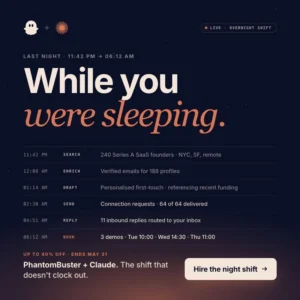
GrowthNow readers can currently get up to 40% off PhantomBuster plans — the automation layer behind the workflows in this article. Pair it with Claude and you have a full LinkedIn agent stack ready to deploy.
Limited-time offer for GrowthNow readers. Discount applied at checkout. Offer valid until May 31, 2026.