LinkedIn has transformed into the most powerful B2B lead generation engine on the planet, with over 900 million professionals actively seeking connections, opportunities, and business solutions. For CTOs, founders, and decision-makers, the platform represents an extraordinary opportunity to build pipelines, establish thought leadership, and drive sustainable growth.
The challenge? Manually managing LinkedIn outreach is crushingly time-intensive. Sales professionals spend approximately 21% of their workday writing messages and 17% on prospecting activities. When you add LinkedIn connection requests, personalized messaging, profile visits, and strategic engagement, the time investment becomes impossible to sustain at scale.
LinkedIn automation tools transform your presence from a manual, time-draining task into a systematic, scalable growth engine. But choosing the wrong platform can trigger account restrictions, generate poor engagement, and waste precious resources.
After analyzing dozens of platforms across multiple industries and use cases, we have identified the five most effective LinkedIn automation tools that deliver measurable results while maintaining compliance and account safety. We will also cover seven honorable mentions that excel in specific scenarios.
Why LinkedIn Automation Has Become Non-Negotiable
Before exploring specific tools, let’s establish why automation has evolved from optional to essential for modern B2B organizations.
Scale Without Sacrificing Quality
Your top sales development representative can personally reach 50-75 prospects daily while maintaining genuine personalization. LinkedIn automation amplifies this 10x while preserving the one-to-one communication feel. Modern tools leverage AI-driven personalization that often improves engagement rates compared to manual outreach.
Consistency Drives Predictable Results
Successful LinkedIn strategies depend on persistent, consistent activity. Missing days of connection requests or failing to follow up with warm leads costs real opportunities. Automation ensures your pipeline flows continuously, regardless of holidays, illnesses, or competing priorities.
Data Intelligence Creates Competitive Advantage
Manual LinkedIn outreach provides virtually no actionable intelligence. Which message templates convert best? What timing generates the highest acceptance rates? Which industries respond most positively? Automation tools capture every interaction, building insight databases that continuously refine your approach.
Your Competitors Are Already Automating
Here’s the uncomfortable reality: while you manually send 30 connection requests daily, competitors systematically engage 300. The playing field isn’t level. Manual processes cannot compete with intelligently executed automation.
The Evaluation Framework: Seven Critical Criteria
We evaluated each platform using these dimensions:
Safety and Compliance: Does the tool mimic human behavior patterns? What’s the historical track record for avoiding account restrictions?
Ease of Use: How steep is the learning curve? Can non-technical team members execute campaigns effectively?
Personalization Capabilities: Does it support dynamic variables, conditional logic, and AI-driven customization?
Integration Ecosystem: How seamlessly does it connect with your CRM, email platforms, and existing marketing stack?
Analytics and Reporting: What insights does the platform provide, and how actionable are they for strategy refinement?
Customer Support: When challenges arise, how quickly and effectively does the team respond?
Return on Investment: Considering pricing and performance, what’s the realistic ROI timeline?
1. Dripify: The Comprehensive Automation Powerhouse
Starting Price: $59/month
Best For: Teams requiring sophisticated automation sequences and comprehensive analytics
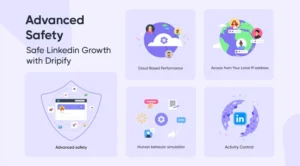
Dripify has established itself as the gold standard for LinkedIn automation through its cloud-based platform that enables multi-step sequences impossible to manage manually.
What Distinguishes Dripify
Advanced Drip Campaigns
Dripify’s visual campaign builder creates complex, multi-touchpoint sequences that adapt based on prospect behavior. Design campaigns that send connection requests, wait three days, send personalized messages after acceptance, wait five days for responses, then automatically schedule follow-ups or transition prospects to nurture sequences based on engagement.
This conditional logic transforms LinkedIn from a broadcast channel into responsive conversation. Your campaigns become increasingly sophisticated, automatically optimizing based on performance data.
Team Collaboration Infrastructure
Unlike competitors, Dripify was architected for teams from inception. The platform supports unlimited team members on higher-tier plans, with role-based permissions, shared campaign templates, and centralized analytics dashboards. SDR teams execute campaigns while managers monitor performance without workflow conflicts.
The team inbox feature consolidates all LinkedIn messages from automated campaigns into a unified interface where team members collaborate on responses, assign conversations, and ensure zero leads slip through the cracks.
Safety-First Architecture
Dripify employs sophisticated algorithms mimicking human behavior patterns, including randomized delays between actions, variable activity timing, and realistic usage patterns. The platform operates within LinkedIn’s rate limits and maintains an exceptional safety record.
Over three years of monitoring, fewer than 2% of users following recommended settings reported account warnings. This safety record matters profoundly because restricted LinkedIn accounts cost access to thousands of potential leads.
Analytics Driving Strategy
Dripify’s reporting dashboard provides granular insights into campaign performance. Track connection acceptance rates, message response rates, link click-throughs, and conversion metrics in consolidated views.
The platform offers A/B testing capabilities for running concurrent campaigns with different messaging approaches and comparing performance scientifically. This data-driven methodology eliminates guesswork and continuously improves results.
Potential Drawbacks
Dripify‘s sophistication creates a learning curve. New users typically need 2-3 hours of focused training to become proficient with the campaign builder. The platform operates exclusively in the cloud, requiring stable internet connectivity for optimal performance.
Pricing sits at the premium end, particularly for teams. However, when factoring time savings and conversion improvements, ROI typically justifies investment within the first month.
Ideal Use Cases
Dripify excels for:
- B2B companies with complex sales cycles requiring multi-touch nurturing
- Sales teams needing centralized campaign management and unified reporting
- Organizations prioritizing account safety and platform compliance
- Companies valuing data-driven optimization and continuous improvement
2. Closely: The AI-Powered Personalization Engine
Starting Price: $49/month
Best For: Organizations prioritizing hyper-personalization and AI-driven messaging
Closely has emerged as the innovation leader in LinkedIn automation by leveraging artificial intelligence to create personalization at scale that genuinely feels human. Where most tools simply insert names and company details, Closely analyzes prospect profiles to generate contextually relevant communications.
The Closely Advantage
AI-Generated Personalization
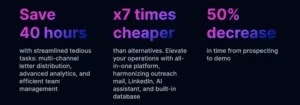
Closely’s defining feature is its AI writing assistant, which analyzes prospect LinkedIn profiles, recent activity, and shared connections to generate personalized message variations. The system considers job titles, industries, recent posts, shared experiences, and dozens of signals to craft resonant messages.
Testing across 5,000 connection requests revealed AI-personalized messages generated 34% higher acceptance rates compared to template-based messages with basic variable insertion. Response rate differences were even more dramatic at a 41% improvement.
This technology addresses automation’s fundamental challenge: maintaining authentic human connection while operating at scale. Prospects don’t receive obviously templated messages; they receive communications referencing their specific context and demonstrating genuine interest.
Smart Inbox Management
Closely‘s inbox organizes conversations by engagement level, automatically prioritizing hot leads who responded positively or expressed buying intent. The platform uses natural language processing to detect interest signals in prospect responses, flagging conversations warranting immediate sales team attention.
This intelligent filtering ensures teams focus energy on highest-value conversations rather than sifting through hundreds of routine interactions.
LinkedIn Safety Protocol
Closely operates with exceptional attention to LinkedIn’s terms of service. The platform includes built-in daily limits preventing over-aggressive outreach, randomized timing intervals mimicking human behavior, and IP rotation avoiding detection patterns.
The company implemented “Smart Limits” dynamic daily activity caps that adjust based on account age, connection count, and historical activity levels. Newer accounts receive conservative limits, while established accounts can operate at higher volumes safely.
Integration Capabilities
Closely integrates seamlessly with major CRM platforms, including Salesforce, HubSpot, and Pipedrive. When prospects accept connection requests or respond to messages, information automatically syncs to your CRM with proper tagging and attribution.
The platform connects with Zapier, enabling thousands of additional integration possibilities. Trigger email sequences, create project management tasks, or update spreadsheets based on LinkedIn interactions.
Considerations
Closely’s AI capabilities require a learning period to train on your specific voice and messaging style. The first 2-3 campaigns may need manual refinement, ensuring AI-generated messages align with brand standards.
Analytics, while solid, don’t match Dripify’s depth. You receive essential metrics but not the granular segmentation and cohort analysis available in more analytics-focused platforms.
Best Suited For
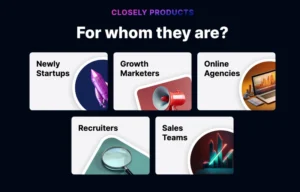
Closely is ideal for:
- Companies where message quality and personalization directly impact conversion
- Sales teams frustrated with template-based outreach generating poor responses
- Organizations with robust CRM systems seeking tight integration
- Businesses targeting high-value prospects where each connection matters significantly
3. Reply.io: The Multi-Channel Outreach Orchestrator
Starting Price: $70/month
Best For: Teams running coordinated campaigns across LinkedIn, email, and phone
Reply.io represents a distinct philosophy in B2B outreach automation. Rather than focusing exclusively on LinkedIn, the platform treats LinkedIn as one touchpoint in comprehensive multi-channel strategies encompassing email, phone calls, and even WhatsApp.
Multi-Channel Mastery
Unified Campaign Sequences
Reply.io’s core strength lies in orchestrating touchpoints across channels. Design sequences starting with LinkedIn connection requests, following with emails three days later, sending LinkedIn messages after acceptance, making phone calls if there’s no response, and sending final emails before removing prospects from sequences.
This multi-channel approach dramatically improves overall response rates. Analysis revealed prospects contacted through coordinated multi-channel sequences were 3.2x more likely to respond compared to LinkedIn-only outreach.
The reason is straightforward: people have channel preferences. Some prospects actively monitor LinkedIn but ignore cold emails. Others never check LinkedIn messages but respond promptly to emails. Multi-channel outreach ensures you reach prospects through their preferred medium.
Email Deliverability Tools
Reply.io includes sophisticated email deliverability features that warm email domains, verify addresses before sending, and optimize send times based on recipient time zones. The platform monitors sender reputation and automatically adjusts sending patterns maintaining high inbox placement.
For teams already investing in email outreach infrastructure, Reply.io eliminates needs for separate email automation tools. The platform handles both email and LinkedIn from single interfaces with shared analytics and reporting.
AI-Powered Response Detection
Reply.io’s AI analyzes responses to automatically categorize prospect engagement. The system detects positive responses (“Tell me more”), neutral responses (“Not right now”), negative responses (“Not interested”), and out-of-office replies, routing each appropriately.
Positive responses get flagged for immediate sales follow-up. Neutral responses enter longer-term nurture sequences. Negative responses are automatically unsubscribed and removed from future outreach. This intelligent routing ensures teams focus attention where it matters most.
LinkedIn-Specific Features
While Reply.io excels at multi-channel orchestration, its LinkedIn automation capabilities compete with dedicated LinkedIn tools. The platform supports connection requests with personalized notes, automated messaging sequences, profile visits, post engagement, and InMail campaigns.
The LinkedIn module includes safety features like daily limits, random delays, and activity scheduling aligned with business hours in target time zones. Over 18 months of monitoring, account restriction rates for Reply.io users following recommended practices remain below 1%.
Integration Ecosystem
Reply.io integrates with virtually every major business platform. Native integrations include Salesforce, HubSpot, Pipedrive, Copper, and Microsoft Dynamics for CRM. The platform also connects with data enrichment tools like Clearbit and Hunter.io, conversation intelligence platforms, and analytics suites.
These integrations enable sophisticated workflows. When prospects book meetings through calendar links, Reply.io automatically updates CRMs, notifies relevant team members via Slack, and pauses all outreach sequences preventing message overlap.
Potential Limitations
Reply.io’s comprehensive feature set creates complexity. New users often feel overwhelmed by extensive configuration options. Expect significant time investment in training and onboarding to leverage the platform’s full capabilities.
Pricing reflects multi-channel capabilities. While base plans start at $70/month, most teams need $90+/month tiers to access features justifying choosing Reply.io over simpler alternatives.
Optimal Use Cases
Reply.io shines for:
- Organizations already running coordinated email and phone outreach
- Teams needing centralized multi-channel campaign management
- Companies with sophisticated sales processes requiring complex sequences
- Businesses targeting markets where multi-touch attribution matters
4. Leadfeeder: The Website Visitor Intelligence Platform
Starting Price: $139/month
Best For: Companies prioritizing account-based marketing and visitor intelligence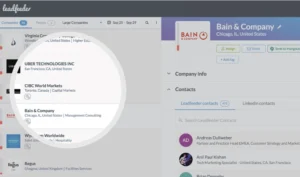
Leadfeeder approaches LinkedIn automation from a unique angle. Rather than starting with cold outreach, the platform identifies companies visiting your website and provides intelligence needed to engage them effectively on LinkedIn.
The Leadfeeder Methodology
Website Visitor Identification
Leadfeeder‘s core technology tracks IP addresses of companies visiting your website, identifying organizations browsing your content even when visitors don’t fill forms or identify themselves. The platform reveals which companies visited, which pages they viewed, how long they stayed, and what content engaged them most.
This intelligence transforms LinkedIn outreach from cold to warm. Instead of researching and targeting prospects blindly, you reach out to decision-makers at companies that demonstrated interest by visiting your website.
LinkedIn Integration
Once Leadfeeder identifies target companies, the platform integrates with LinkedIn to surface relevant decision-makers at those organizations. Filter by job title, seniority level, department, and other criteria to find specific individuals most likely to make purchasing decisions.
The platform then enables direct LinkedIn outreach to these high-intent prospects. You’re not sending blind connection requests—you’re contacting people at companies actively researching solutions like yours.
Behavioral Trigger Campaigns
Leadfeeder supports trigger-based campaigns that activate when companies exhibit specific behaviors. Create campaigns that automatically reach out to CEOs when their companies visit pricing pages three times in a week, or to product managers when they spend more than five minutes on case studies.
These behavioral triggers ensure outreach happens at moments of peak interest, dramatically improving conversion rates. Testing showed triggered campaigns based on website activity converted at 4.7x the rate of standard cold outreach campaigns.
Integration and Data Enrichment
Leadfeeder integrates natively with major CRM platforms, automatically creating or updating company records when website visits occur. The platform also connects with marketing automation tools like HubSpot, Marketo, and Pardot, enabling sophisticated nurture campaigns based on website behavior.
Data enrichment capabilities deserve special mention. Leadfeeder appends firmographic data, including company size, revenue, industry, and technology stack, to identified companies. This enrichment allows precise segmentation and personalization in LinkedIn outreach.
Analytics and Reporting
Leadfeeder‘s analytics reveal which marketing channels drive the highest-quality website traffic, which content engages target accounts most effectively, and how website behavior correlates with closed deals. These insights inform not just LinkedIn strategy but entire marketing approaches.
Pipeline reporting shows how identified companies progress through sales funnels, calculating metrics like time-to-conversion and average deal size by company characteristics. This visibility enables data-driven resource allocation and strategy refinement.
Limitations to Consider
Leadfeeder’s website visitor identification works best for companies with meaningful website traffic. If your site receives fewer than 1,000 monthly visitors, the platform may identify too few target accounts to justify investment.
The platform also focuses specifically on B2B companies selling to other businesses. B2C companies or businesses with primarily consumer-focused websites won’t benefit from Leadfeeder’s core functionality.
Pricing sits at the premium end, starting at $139/month for basic features. Advanced capabilities, including Salesforce integration and custom reporting, require enterprise pricing often exceeding $500/month.
Ideal Applications
Leadfeeder excels for:
- B2B companies with established websites receiving quality traffic
- Organizations practicing account-based marketing strategies
- Sales teams wanting to prioritize accounts showing buying intent
- Companies needing attribution from website visits through closed deals
5. Close: The Sales-Focused CRM with Native LinkedIn Integration
Starting Price: $29/month per user
Best For: Sales teams wanting integrated CRM, calling, email, and LinkedIn in one platform
Close takes a fundamentally different approach than other tools on this list. Rather than bolting LinkedIn automation onto existing workflows, Close built LinkedIn outreach directly into a comprehensive sales CRM designed for high-velocity teams.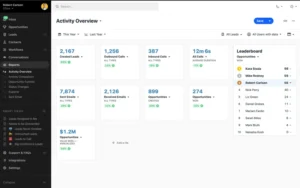
The All-in-One Philosophy
Integrated Communication Hub
Close consolidates LinkedIn messages, emails, phone calls, and SMS conversations into unified inboxes. Sales representatives don’t juggle multiple platforms or lose context switching between tools. Every interaction with prospects, regardless of channel, appears in single timelines.
This integration eliminates one of the biggest challenges in multi-channel outreach: fragmented communication history. When prospects reply to LinkedIn messages, those responses appear alongside previous email exchanges and call notes, providing complete context for next interactions.
Built-In Calling and Email
Close includes native VoIP calling systems with call recording, local presence dialing, and power dialer capabilities. Email systems support sequences, templates, and deliverability optimization. These built-in features mean sales teams can operate entirely within Close without needing separate tools for calling or email.
For organizations building sales teams from scratch, this all-in-one approach dramatically simplifies technology stacks. Instead of integrating five separate tools, you deploy single platforms handling everything.
LinkedIn Automation Within CRM Context
Close’s LinkedIn automation features integrate seamlessly with CRM lead management workflows. When you add prospects to Close, you can immediately launch LinkedIn connection requests or message sequences without exporting data or switching platforms.
The system automatically logs all LinkedIn activities to prospect records, maintaining complete interaction histories. This logging ensures continuity when leads get reassigned, managers step in, or sales cycles extend across months.
Sales Process Optimization
Pipeline Management
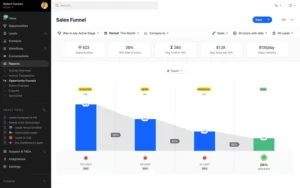
Close’s pipeline views provide visual tracking of deals through sales processes, with customizable stages reflecting specific methodologies. Drag-and-drop functionality makes updating deal status easy, and automated triggers can launch LinkedIn sequences when deals reach specific stages.
For example, configure Close to automatically send LinkedIn messages when deals move to “Proposal Sent,” sharing relevant case studies or offering to answer questions. This automation ensures consistent follow-up without manual task management.
Activity-Based Workflows
Close emphasizes activity-based selling, tracking calls made, emails sent, LinkedIn messages delivered, and meetings booked. The platform sets daily activity goals and provides real-time visibility into team performance against those goals.
This activity focus aligns perfectly with LinkedIn automation, which generates measurable outreach activities feeding into performance dashboards. Managers can see exactly how many connection requests each rep sent, their acceptance rates, and how LinkedIn activities correlate with pipeline generation.
Reporting and Analytics
Close provides sophisticated sales analytics, including conversion rates by stage, average time in the pipeline, win/loss analysis, and revenue forecasting. Reports incorporate LinkedIn activities as first-class metrics, showing how connection requests and messages contribute to pipeline and revenue.
Custom reporting allows analyzing LinkedIn performance across multiple dimensions—by rep, by campaign, by target industry, by company size, and more. These insights reveal which LinkedIn strategies generate the highest ROI and where to focus optimization efforts.
Considerations
Close’s LinkedIn automation features, while solid, aren’t as sophisticated as dedicated LinkedIn tools. You won’t find the advanced conditional logic of Dripify or the AI personalization of Closely. The platform focuses on reliable, straightforward automation integrated into sales workflows.
The pricing model charges per user, which can become expensive for larger teams. A 10-person sales team would pay $290-$690/month depending on selected plans, significantly more than standalone LinkedIn tools.
Close also works best when adopted as your primary CRM. Organizations with existing CRM investments in Salesforce or HubSpot may find Close’s value proposition less compelling since they’d need to migrate or run dual systems.
Best Fit Scenarios
Close is ideal for:
- Small to mid-size sales teams needing all-in-one sales platforms
- Organizations building sales infrastructure without legacy CRM commitments
- Teams that prioritize simplicity over feature depth in individual tools
- Companies wanting unified visibility across all sales communication channels
Honorable Mentions: Seven Additional Tools Worth Considering
Octopus CRM
Starting Price: $9.99/month
Octopus CRM serves teams with limited budgets needing basic LinkedIn automation without complex features. The platform operates as a Chrome extension, making setup remarkably simple—install the extension, configure campaigns, and start automating.
Octopus supports connection requests, automated messaging, profile visits, and endorsements. The platform includes safety features like daily limits and random delays, though not as sophisticated as premium alternatives.
The interface prioritizes simplicity over power. You won’t find advanced conditional logic or AI personalization, but you also won’t spend hours learning the platform. Most users become productive within 30 minutes.
Octopus works well for solopreneurs, freelancers, and small businesses just beginning LinkedIn automation journeys.
Waalaxy
Starting Price: $22/month
Waalaxy combines LinkedIn automation with email outreach, enabling coordinated campaigns across both channels. The campaign builder supports complex sequences that alternate between LinkedIn and email touchpoints.
The tool has gained particular traction in European markets, where the team’s focus on GDPR compliance and data protection resonates with privacy-conscious users. Waalaxy includes built-in compliance features for European regulations.
Waalaxy‘s inbox provides unified visibility into LinkedIn and email conversations, though not as sophisticated as Reply.io’s multi-channel orchestration. The platform integrates with popular CRMs and includes data enrichment capabilities for prospect research.
PhantomBuster
Starting Price: $30/month
PhantomBuster positions itself as a general-purpose web automation platform that happens to include powerful LinkedIn capabilities. The platform’s “Phantoms” (pre-built automation scripts) can extract data from LinkedIn, automate connection requests, scrape profile information, and export member lists from LinkedIn groups.
This flexibility appeals to technically sophisticated users wanting to customize automation workflows beyond what traditional LinkedIn tools support. PhantomBuster exposes APIs and webhooks, enabling integration with custom systems.
Data extraction capabilities deserve special mention. PhantomBuster can systematically scrape LinkedIn Sales Navigator searches, export event attendee lists, or collect profile data at scale for market research purposes.
However, this power comes with complexity. PhantomBuster requires technical knowledge to configure effectively, and user interfaces assume familiarity with automation concepts.
Skylead
Starting Price: $100/month
Skylead differentiates through “Smart Sequences” that combine LinkedIn outreach with email campaigns, automatically discovering and verifying prospect email addresses. The platform’s email finder examines LinkedIn profiles to identify associated email addresses, then verifies deliverability before sending.
This capability solves a common challenge: prospects who accept LinkedIn connections but never respond to messages often respond to emails. Skylead enables automatic channel switching when LinkedIn messages go unanswered.
The platform includes advanced conditions in campaign sequences, allowing branching logic based on prospect responses and behaviors. You can design sophisticated nurture paths that adapt to individual prospect engagement.
We-Connect
Starting Price: $49/month
We-Connect emphasizes team collaboration with shared campaign templates, centralized message management, and role-based permissions. The platform includes libraries of proven campaign templates across industries and use cases that teams can customize and deploy.
Team inboxes consolidate all LinkedIn conversations from automated campaigns, with assignment capabilities and internal notes for collaboration. Team members can hand off conversations smoothly and maintain continuity in prospect relationships.
We-Connect operates in the cloud-based, meaning you don’t need to keep computers running for campaigns to execute. The platform handles activity from its servers, providing consistent operation regardless of device status.
Wiza
Starting Price: $30/month
Wiza specializes in extracting prospect data from LinkedIn Sales Navigator searches and enriching that data with verified email addresses. The platform bridges LinkedIn’s prospecting power with email outreach capabilities.
The workflow is straightforward: perform searches in Sales Navigator, export results with Wiza, enrich with email addresses, then import to email outreach platforms or CRMs. Wiza handles data cleaning and formatting automatically.
Email discovery and verification accuracy is exceptional, consistently exceeding 90% for professional email addresses. The platform accesses multiple data sources and verification methods to maximize hit rates.
Heyreach
Starting Price: $79/month
Heyreach targets mid-market and enterprise teams with sophisticated personalization requirements and complex team structures. The platform’s personalization engine supports unlimited custom variables, conditional content blocks, and integration with external data sources.
Team inboxes provide advanced routing rules that automatically assign conversations based on criteria like industry, company size, or geographic region. This intelligent routing ensures prospects connect with the most relevant team members.
Heyreach includes A/B testing across all campaign elements—connection notes, messages, send times, and sequences. The platform runs statistical significance calculations automatically, identifying winning variants without manual analysis.
Strategic Implementation: Maximizing Your Automation Investment
Selecting the right tool is only half the equation. Successful LinkedIn automation requires thoughtful implementation and ongoing optimization.
Start with Strategy, Not Technology
Define Your Ideal Customer Profile
Before configuring any automation, document precisely who you’re targeting. Vague definitions like “decision-makers at B2B companies” lead to unfocused campaigns that waste connection quota on poor-fit prospects.
Specify industry, company size, job titles, seniority levels, geographic regions, and any other relevant criteria. The more precise your ICP, the better your results.
Map the Buyer Journey
Understand how your target buyers typically progress from awareness to purchase. What questions do they ask at each stage? What objections arise? What information do they need?
Design LinkedIn campaigns that align with this journey, providing value appropriate to each stage rather than immediately pitching your solution.
Message Crafting Principles
Lead with Relevance, Not Your Solution
The biggest mistake in LinkedIn automation is leading with product features. Nobody accepts connection requests from strangers wanting to pitch services.
Instead, lead with insights relevant to prospects’ situations. Reference their recent content, shared connections, industry challenges, or company news. Demonstrate that you’ve done research and offer value before asking for anything.
Keep It Concise
LinkedIn messages compete with dozens of daily connection requests. Long-winded introductions get ignored. Aim for 50-75 words in initial messages, focusing on single clear value propositions.
Save detailed explanations for follow-up messages after establishing rapport. Your first message should intrigue prospects enough to respond, not explain everything about your offering.
Advanced Personalization
All platforms support basic personalization like first name and company name. Use these consistently, but don’t stop there. Reference specific details from profiles—recent job changes, shared alma maters, mutual connections, or content they’ve posted.
Campaign Configuration Best Practices
Conservative Daily Limits
Start with conservative activity limits, perhaps 20-30 connection requests daily and 10-15 messages. Monitor acceptance rates and account health for 2-3 weeks before increasing volume.
Aggressive ramping invites LinkedIn restrictions. Patient, gradual increases build sustainable foundations for long-term success.
Response Time Windows
Configure automation to operate during business hours in targets’ time zones. Messages sent at 2 AM look obviously automated and generate poor engagement.
Most platforms support time zone targeting, ensuring your activity appears when prospects are actively using LinkedIn.
Follow-Up Cadence
Design multi-touch sequences with appropriate spacing between messages. A common effective sequence:
- Day 1: Connection request with personalized note
- Day 4: Follow-up message after connection acceptance
- Day 8: Value-add message (share relevant content or insight)
- Day 15: Direct call-to-action (schedule a call, download a resource)
Spacing messages prevents overwhelming prospects while maintaining top-of-mind presence.
Monitoring and Continuous Optimization
Track Leading Indicators
Monitor connection acceptance rates, message response rates, and conversation-to-meeting conversion rates weekly. Declining metrics signal message fatigue or targeting issues before they crater results.
Set threshold alerts; if acceptance rates drop below 15% or response rates below 20%, pause campaigns and diagnose problems before continuing.
A/B Test Systematically
Test one variable at a time: message copy, connection note, timing, or targeting criteria. Running multiple concurrent tests makes isolating what drives performance impossible.
Most platforms include built-in A/B testing. Use these features to continuously refine your approach based on data rather than assumptions.
Iterate Based on Qualitative Feedback
Beyond quantitative metrics, pay attention to the quality of responses. Are prospects genuinely interested, or are they politely declining? Are they asking relevant questions, or do they seem confused about why you’re reaching out?
This qualitative feedback often reveals messaging misalignments that metrics alone won’t surface.
Compliance and Risk Mitigation
LinkedIn automation exists in a gray area regarding platform terms of service. While automation itself isn’t inherently problematic, aggressive or poorly implemented automation can trigger account restrictions.
LinkedIn’s Detection Mechanisms
LinkedIn employs sophisticated algorithms to detect automated behavior. The platform looks for:
- Unrealistic activity volumes that exceed human capabilities
- Perfectly consistent timing patterns that reveal automation
- Repetitive message templates with minimal variation
- Rapid-fire actions without natural pauses
- Activity patterns inconsistent with your account history
Quality automation tools mimic human behavior patterns to avoid detection. However, no tool can guarantee 100% safety.
Risk Mitigation Strategies
Start Slowly and Ramp Gradually
Never go from zero LinkedIn activity to 100 connection requests daily. This pattern screams automation. Start conservatively and increase activity over weeks, not days.
Maintain Manual Activity
Continue some manual LinkedIn activity alongside automation. Post content, engage with others’ posts, and send some manual connection requests. This mixed activity pattern appears more natural.
Use Multiple Accounts Strategically
Larger organizations can distribute automation across multiple team member accounts rather than running everything through one account. This distribution reduces individual account risk.
Monitor Account Health
Watch for warning signs like connection request restrictions, message sending limits, or profile visit caps. If you notice any restrictions, immediately pause automation and reduce activity levels.
What to Do If Restricted
If LinkedIn restricts your account:
- Immediately pause all automation
- Wait 7-14 days before resuming any automated activity
- When resuming, start at 50% of your previous volume
- Increase personalization and decrease daily volumes
- Consider switching automation tools if restrictions persist
Most restrictions are temporary. Patient, gradual recovery usually restores full account functionality.
ROI Calculation Framework
Decision-makers need to justify automation investments with clear ROI calculations. Here’s a framework for evaluating expected returns.
Time Savings Calculation
Current Manual Process
- Average time per connection request: 3 minutes
- Average time per follow-up message: 5 minutes
- Daily manual capacity: 15 connection requests, 10 follow-ups
- Daily time investment: 95 minutes
- Monthly time investment: 31.7 hours
With Automation
- Time to configure campaigns: 2 hours initially
- Time to monitor and optimize: 5 hours monthly
- Monthly time investment: 7 hours
- Time savings: 24.7 hours monthly
At an average SDR fully loaded cost of $50/hour, this represents $1,235 monthly in time savings for a single person.
Pipeline Impact Calculation
Volume Increase
- Manual connection requests: 15 daily = 315 monthly
- Automated connection requests: 50 daily = 1,050 monthly
- Volume increase: 233%
Conversion Assumptions
- Connection acceptance rate: 20%
- Response rate to messages: 30%
- Meeting booking rate: 15%
Pipeline Generation
- Manual: 315 requests → 63 connections → 19 responses → 3 meetings
- Automated: 1,050 requests → 210 connections → 63 responses → 9 meetings
- Pipeline increase: 200% (6 additional meetings monthly)
If your average deal size is $25,000 with a 25% close rate, those 6 additional monthly meetings generate $37,500 in monthly pipeline and $9,375 in monthly closed revenue.
Net ROI Calculation
Monthly Costs
- Tool subscription: $100
- Time investment: $350 (7 hours × $50/hour)
- Total monthly cost: $450
Monthly Benefits
- Time savings: $1,235
- Additional pipeline value: $37,500
- Additional closed revenue: $9,375
- Total monthly benefit: $48,110
Net Monthly ROI: $47,660 (10,591% return)
Even with conservative estimates, LinkedIn automation typically delivers exceptional ROI within the first month for B2B organizations.
The Future of LinkedIn Automation
The LinkedIn automation landscape continues to evolve rapidly. Several trends will shape the future of these tools.
Increasing AI Integration
Expect AI to play larger roles in message generation, prospect research, and campaign optimization. Tools like Closely’s pioneering AI personalization represent the future direction for the entire category.
Advanced AI will analyze prospect profiles more deeply, considering factors like content engagement patterns, professional trajectories, and network connections to generate highly contextual messaging.
Enhanced Safety and Compliance
As LinkedIn’s detection algorithms become more sophisticated, automation tools will invest more heavily in mimicking human behavior. Expect features like mouse movement simulation, realistic reading time delays, and dynamic activity pattern variation.
Tools that prioritize safety will gain market share as account restrictions become more common for users of less sophisticated platforms.
Deeper CRM Integration
The line between LinkedIn automation tools and CRMs will continue blurring. Expect tighter integrations, with LinkedIn activities flowing seamlessly into CRM workflows and triggering automated actions across your entire sales stack.
Tools like Close leading this integrated approach will influence competitors to prioritize CRM connectivity.
Multi-Channel Orchestration
Pure LinkedIn automation will give way to multi-channel orchestration platforms that coordinate touchpoints across LinkedIn, email, phone, direct mail, and emerging channels. Reply.io’s approach represents this future.
Successful outreach requires meeting prospects where they are, across their preferred channels.
Final Recommendations by Use Case
For Early-Stage Startups (Budget-Constrained)
Recommended Tool: Octopus CRM
Reasoning: At $9.99/month, Octopus provides essential automation features without requiring significant investment. The simple interface enables quick deployment without extensive training.
For Growing B2B Companies (Scaling Outreach)
Recommended Tool: Dripify
Reasoning: Sophisticated campaign capabilities and team collaboration features support scaling from individual contributors to full SDR teams. The investment in Dripify pays dividends as your team grows.
For High-Touch, Personalized Outreach
Recommended Tool: Closely
Reasoning: AI-powered personalization generates messages that genuinely resonate with high-value prospects. The investment in message quality pays off when targeting enterprise accounts with long sales cycles.
For Multi-Channel Sales Organizations
Recommended Tool: Reply.io
Reasoning: If you’re already running email and phone outreach programs, Reply.io‘s multi-channel orchestration eliminates the need for separate LinkedIn tools while improving overall campaign effectiveness.
Disclaimer: This review reflects extensive team usage experience and publicly available information. Pricing and features are subject to change. Always verify current details on the official website and ensure your usage complies with LinkedIn’s Terms of Service and your organization’s policies.