
Introduction: The Evolution of LinkedIn Automation
In the competitive sphere of B2B outbound sales, platforms that offer reliable, safe, and scalable LinkedIn automation are essential. LinkedFusion and Closely stand out as cloud-based solutions, but they approach the problem of lead generation with distinct architectural priorities and feature focuses. LinkedFusion is championed for its dedicated IP safety and robust CRM connectivity, while Closely is the sophisticated multichannel master, integrating AI personalization and an internal email finder to bridge the LinkedIn-to-Inbox gap.
This comprehensive comparison will dissect the core differences between these two platforms, from their approach to account safety and team synchronization to their capabilities in integrated email outreach, to determine which tool best serves your strategic goals for lead scale versus conversion intelligence.
Core Analysis: Architectural Philosophy and Safety
Both platforms leverage the superior security of a cloud environment, but their core safety mechanisms reflect different priorities.
| Feature Category | LinkedFusion (Safety & CRM Focus) | Closely (Multichannel & AI Focus) | Strategic Implication |
| Outreach Scope | Primarily LinkedIn Automation. Email integration via API/Zapier (external email tool required). | Built-in Multichannel (LinkedIn + Cold Email/Follow-up). | Closely offers a single tool solution; LinkedFusion requires external email tools. |
| Account Safety | Dedicated exclusive IP address per user; cloud dashboard. | Dedicated IP and warm-up features; cloud-based. | Both are highly secure, but LinkedFusion emphasizes the uniqueness of its IP. |
| Email Enrichment | Limited/No built-in email finder; relies on external integration for email steps. | Built-in Email Finder and Verification (B2B Contact Database). | Closely drastically simplifies and reduces the cost of contact data enrichment. |
| Personalization | Standard dynamic placeholders ([Name], [Company]). Integration with Hyperise (Beta). | AI-driven personalization, dynamic variables, and robust A/B testing. | Closely’s AI offers a higher potential for personalized, high-converting copy. |
| Team Feature | Team Sync, Team Blacklist, Team Templates, and centralized CRM integrations. | Team Sync, Unified Inbox, and advanced role management for agencies (white-labeling available). | Both excel, but Closely offers stronger unified inbox management for multichannel replies. |
In-Depth Feature Spotlight
1. Safety and IP Architecture: The LinkedFusion Edge
LinkedFusion prominently features its “Dedicated Exclusive IP” strategy. In a world where LinkedIn is aggressive in detecting shared IP addresses, this exclusivity is a major selling point.
- LinkedFusion: The emphasis is on providing an IP that is guaranteed to be used by no one else, ensuring the highest level of trust and consistency for your LinkedIn account’s login location. For large organizations where risk avoidance is key, this singular focus on IP integrity is a powerful insurance policy.
- Closely: Closely also uses dedicated IPs and includes features like account Warm-up (gradually increasing activity) to mimic human behavior from a new cloud location. Closely’s security is excellent, but its focus is split between IP safety and the necessity of email deliverability (which LinkedFusion achieves through external email API).
Verdict: LinkedFusion provides a slightly stronger narrative and focus on IP exclusivity, which is vital for users prioritizing LinkedIn account stability above all else.
2. Multichannel Execution: The Closely Advantage
For modern sales, the ability to pivot between LinkedIn and email automatically is non-negotiable.
- Closely’s Integrated Multichannel: Closely is built as a true multichannel platform. It contains its own Email Finder for quick data enrichment and allows you to build sequences that seamlessly flow:
LinkedIn Request $\rightarrow$ Wait $\rightarrow$
Email 1 $\rightarrow$ Wait $\rightarrow$
LinkedIn Message 2. The unified inbox manages all replies.
- LinkedFusion’s API Integration: LinkedFusion facilitates multichannel outreach primarily through Email API Integration and CRM/Zapier connectors. This means you need a third-party email service (like Mailshake or Apollo) to handle the email sending, adding cost and complexity to the stack.
Verdict: Closely is superior for users demanding a single, integrated tool for multichannel outreach, thanks to its built-in email finder and seamless sequence builder.
Sample User Flows and Recommendations
The choice is defined by your existing tech stack and your required level of channel complexity.
Recommendation 1: LinkedFusion for CRM-Centric Scaling
Ideal User Profile: Sales teams heavily invested in a specific CRM (HubSpot, Pipedrive, Salesforce, Zoho) who rely on a proven, LinkedIn-only sequence for initial connection, handling email follow-up directly through their CRM’s existing sales automation.
| Step | User Action in LinkedFusion | Strategic Goal & Rationale |
| 1. Target | Load Sales Navigator search results into a LinkedFusion campaign. | Target audience precisely using LinkedIn’s best search tool. |
| 2. Sequence | Build a standard 3-step LinkedIn funnel (Connect $\rightarrow$ Wait $\rightarrow$ Value Message $\rightarrow$ CTA). | Maintain safe limits while focusing solely on LinkedIn engagement. |
| 3. CRM Sync | Set up seamless, native integration with HubSpot (or other CRM). | Key Differentiator: Ensure accepted connections and conversation metadata are instantly and cleanly synced to the CRM. |
| 4. Email Pivot | Hand off the accepted lead to the CRM’s native email sequence tool (e.g., HubSpot Sales Sequences). | Use the CRM’s existing infrastructure for email outreach, keeping LinkedFusion focused on its core strength: LinkedIn safety and sync. |
Summary: Choose LinkedFusion if your primary goal is uninterrupted LinkedIn volume, superior account safety, and deep, reliable synchronization with a major CRM where your team already manages email sequences.
Recommendation 2: Closely for Integrated Outbound Efficiency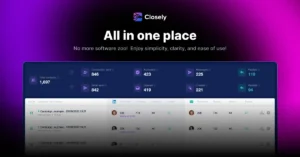
Ideal User Profile: Startups, individual SDRs, or small agencies focused on efficiency, requiring a single tool to manage both LinkedIn and Cold Email campaigns with built-in data enrichment.
| Step | User Action in Closely | Strategic Goal & Rationale |
| 1. Prospecting | Use the built-in Email Finder to enrich prospects from a Sales Navigator search directly within the platform. | Key Differentiator: Eliminate the need (and cost) for a separate email-finding tool. |
| 2. Sequence | Create a unified 5-step multichannel sequence: LinkedIn Connect $\rightarrow$ Wait $\rightarrow$ Email 1 $\rightarrow$ Wait $\rightarrow$ LinkedIn Message 2. | Maximize touchpoints and conversion probability within one continuous flow. |
| 3. Personalization | Use AI Assist to generate hyper-personalized intro lines for both the LinkedIn and email steps. | Leverage AI to achieve a high reply rate without manual research time. |
| 4. Reply Management | Monitor the Unified Inbox for replies (from either channel). | Centralize communication and ensure rapid response, leading to faster lead qualification. |
Summary: Choose Closely if you need integrated multichannel outreach, native data enrichment, and AI-driven personalization in a single, cost-effective tool.
Conclusion: Matching the Tool to Your Funnel Stage
The choice between LinkedFusion and Closely reflects a strategic fork:
- LinkedFusion is the foundational, safe LinkedIn layer: it provides the most reliable way to scale initial, primary LinkedIn contact, especially when data integrity and compatibility with an existing, complex CRM are the highest priorities.
- Closely is the integrated, conversion-focused engine: it offers a tighter, more efficient all-in-one solution for teams that want to immediately add cold email and leverage cutting-edge AI for higher reply rates, simplifying the overall tech stack.
Your ideal partner depends on whether you value architectural safety and external CRM dependency (LinkedFusion) or all-in-one efficiency and internal data enrichment (Closely).
Disclaimer: This review reflects extensive team usage experience and publicly available information. Pricing and features are subject to change. Always verify current details on the official website and ensure your usage complies with LinkedIn’s Terms of Service and your organization’s policies.